
跨平台GUI工具包-LibUI
 2026-09-09 10:08:46
  阿炯
阿炯
 LibUI是一个简单、可移植的C/CPP语言图形用户界面轻量原生控件GUI库,采用MIT协议授权。
LibUI - Simple, Portable, Native GUI Library.
其直接封装系统原生UI API:
--Windows: Win32; Vista SP2 with Platform Update or newer;
--macOS: Cocoa; OS X 10.8 or newer;
--Linux: GTK3; GTK+ 3.10 or newer.
libui is a portable GUI library written in C that provides native UI controls across Windows, macOS (Darwin), and Unix/Linux systems. It offers a consistent API for creating and managing UI elements while leveraging each platform's native rendering capabilities. This documentation covers the architecture, components, and usage of the libui library.
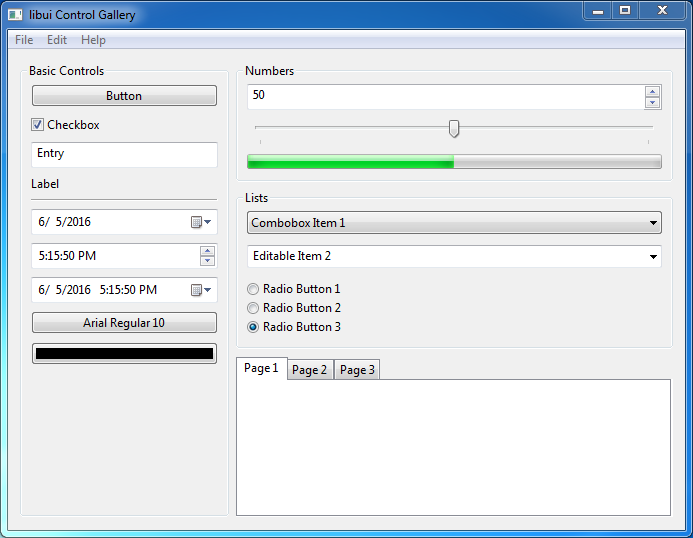
libui目前是半成品软件,目前(2026年年中)的大部分功能运行足够稳定,示例和一些小程序可以运行,但稳定性仍在改进中,许多现有功能尚未完善,部分功能在某些平台上会出现错误,而且还有很多缺失的功能。简而言之,以下是作者希望添加到libui但尚未实现的功能列表:
trees
clipboard support, including drag and drop
more and better dialogs
printing
accessibility for uiArea and custom controls
document-based programs
tighter OS integration (especially for document-based programs), to allow programs to fully feel native, rather than merely look and act native
better support for standard dialogs and features (search bars, etc.)
OpenGL support
总体架构图

其构建需要借助于meson+ninja。Meson 0.48.0 or newer and a compatible backend like Ninja.
--meson类似于CMake(构建系统,写配置、生成构建规则);
--ninja类似于make(后端执行器,真正编译、链接)。
Windows下的构建需要:
Microsoft Visual Studio 2013 or newer (2013 is needed for va_copy()) — you can build either a static or a shared library.
MinGW-w64 (other flavors of MinGW may not work) — you can only build a static library.
提供有多种语言的绑定(Language Bindings)。
更多接口用法可参考:API Reference。
另有派生项目:libui-ng: a portable GUI library for C. "libui for the next generation".
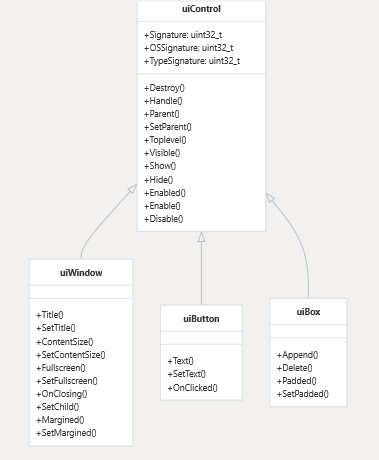
Control Hierarchy
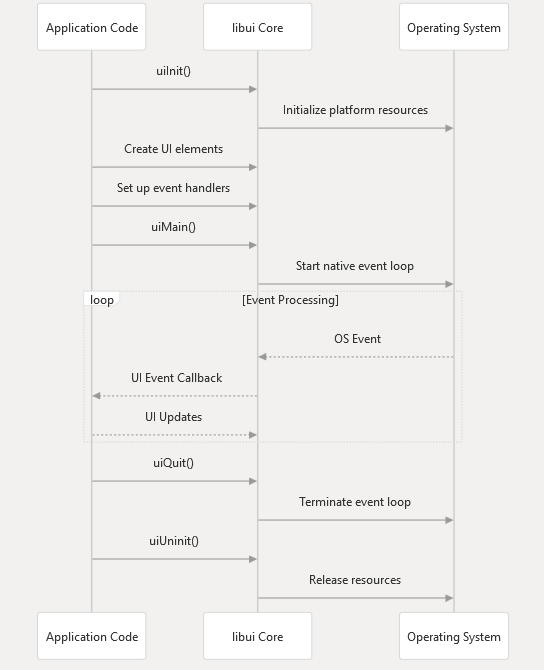
Application Lifecycle and Event Handling
Built-in Controls
| Control Type | Description | Creation Function |
| Window | Top-level window | uiNewWindow() |
| Button | Clickable button | uiNewButton() |
| Box | Layout container | uiNewHorizontalBox(), uiNewVerticalBox() |
| Entry | Text input field | uiNewEntry(), uiNewPasswordEntry(), uiNewSearchEntry() |
| Checkbox | Toggle control | uiNewCheckbox() |
| Label | Static text | uiNewLabel() |
| Tab | Tabbed container | uiNewTab() |
| Group | Grouped container | uiNewGroup() |
| Spinbox | Numeric input | uiNewSpinbox() |
| Slider | Range selection | uiNewSlider() |
| Progress | Progress indicator | uiNewProgressBar() |
| Combobox | Dropdown selection | uiNewCombobox(), uiNewEditableCombobox() |
| Radio Buttons | Option selection | uiNewRadioButtons() |
| Date/Time | Date/time selection | uiNewDateTimePicker(), uiNewDatePicker(), uiNewTimePicker() |
| Multiline Entry | Multi-line text input | uiNewMultilineEntry(), uiNewNonWrappingMultilineEntry() |
Windows下编译libui库
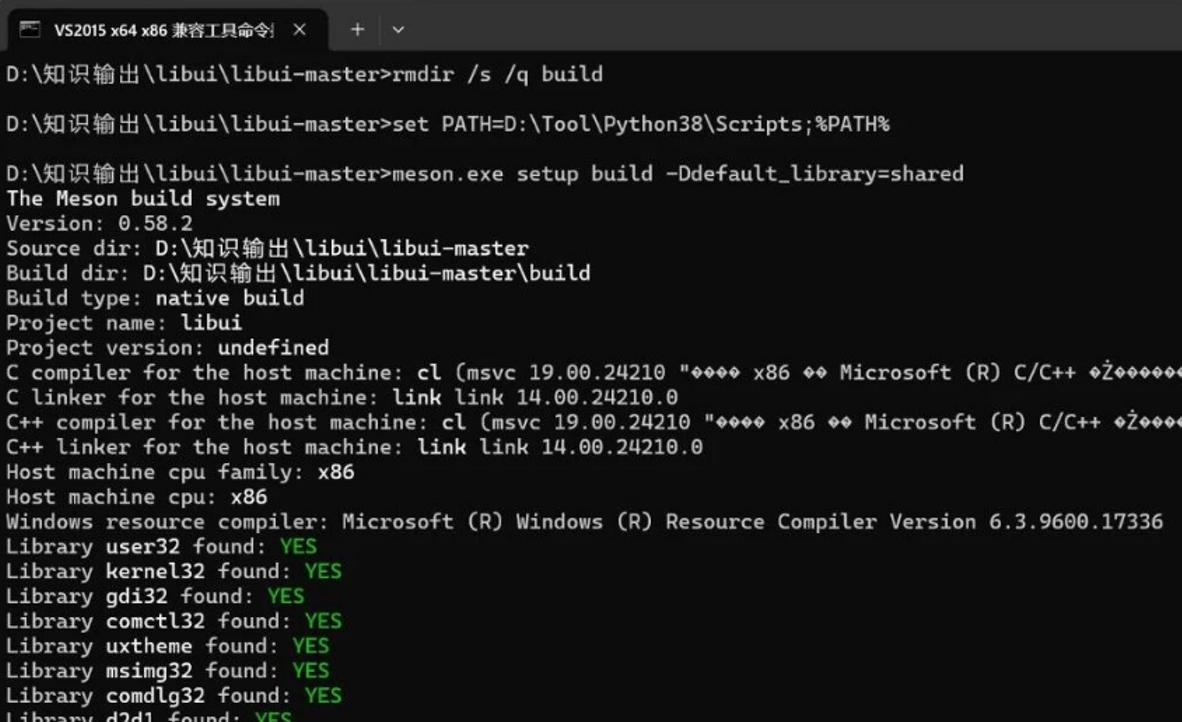
1.使用VS2015 x64 x86本机兼容命令提示符
2.在当前cmd窗口临时把ninja所在目录加入PATH,让meson能检测到ninja(如果添加全局系统变量就不需要这一步)
set PATH=D:\Tool\Python38\Scripts;%PATH%
3.执行meson setup(meson找到ninja,会完整生成build.ninja)
meson.exe setup build -Ddefault_library=shared
4.配置成功之后,再编译(编译出来是(x86)Release的dll)
ninja -C build
5.最后会在build\meson-out目录下生成的库文件
--libui.dll
--libui.lib
6.完整流程
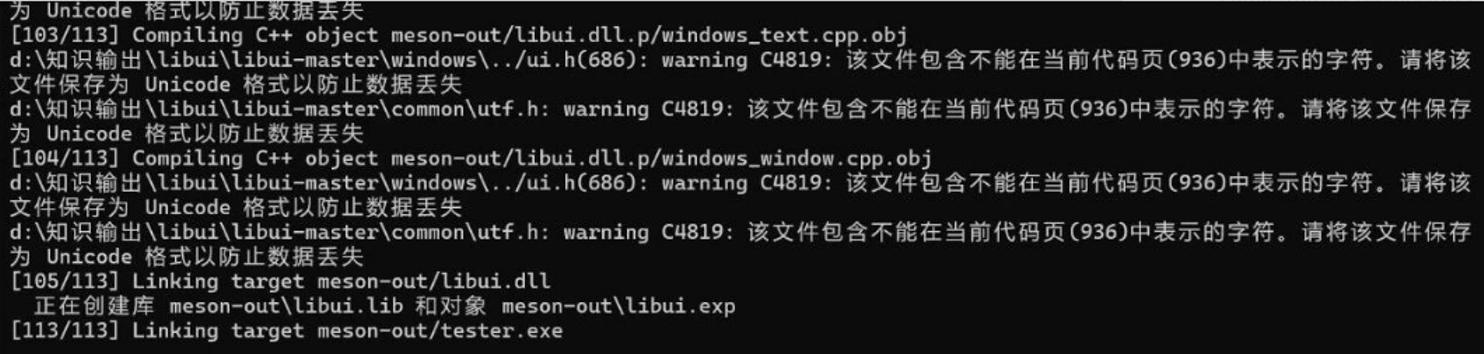
过程测试(转自比特酱)
1.源码
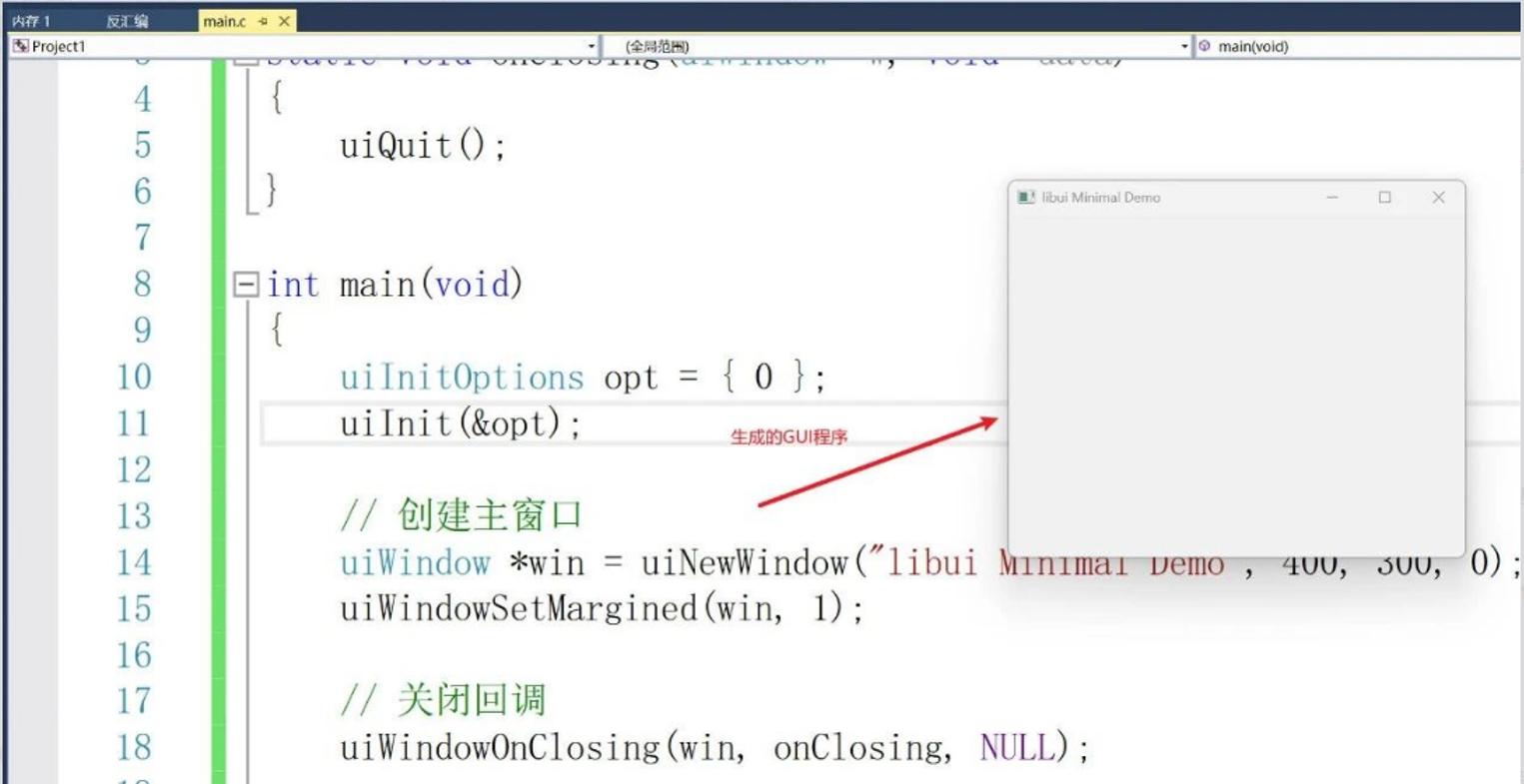
main.c
#include "ui.h"
static void onClosing(uiWindow *w, void *data) {
uiQuit();
}
int main(void) {
uiInitOptions opt = { 0 };
uiInit(&opt);
//创建主窗口
uiWindow *win = uiNewWindow("libui Minimal Demo", 400, 300, 0);
uiWindowSetMargined(win, 1);
//关闭回调
uiWindowOnClosing(win, onClosing, NULL);
//显示窗口
uiControlShow(uiControl(win));
//主循环
uiMain();
uiUninit();
return 0;
}
2.将ui.h头文件拷贝至工程并配置
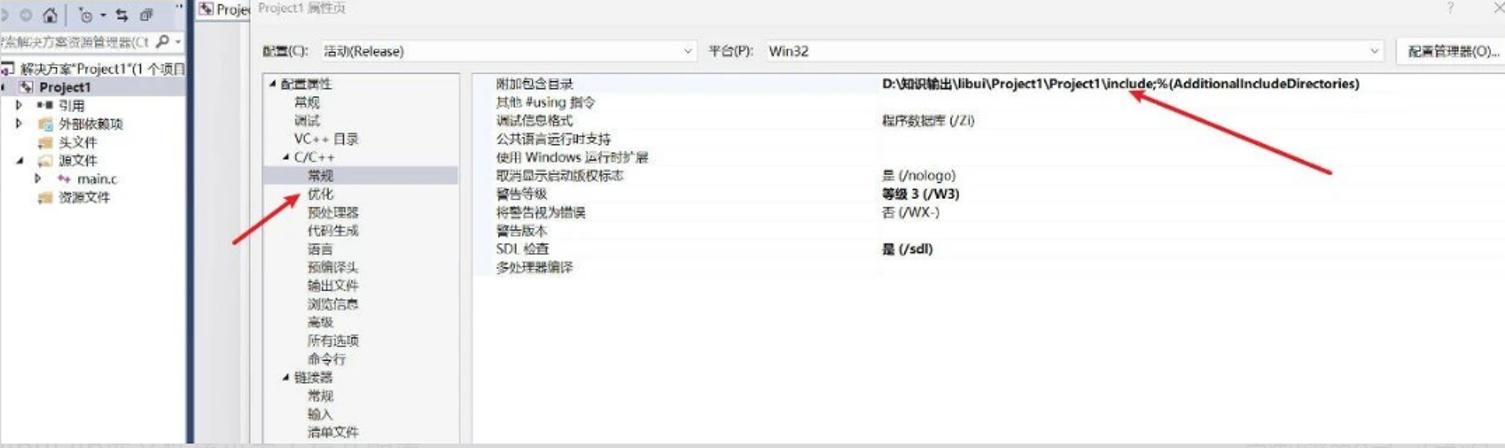
3.将libui.lib库文件拷贝至工程并配置
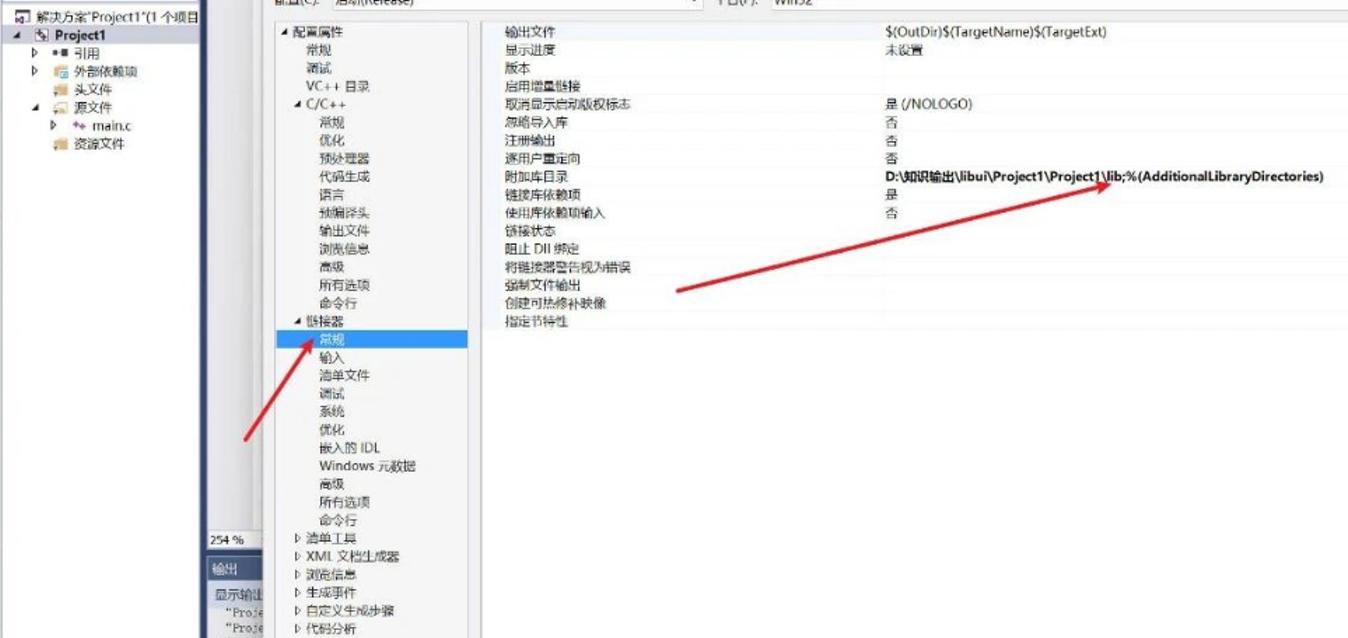
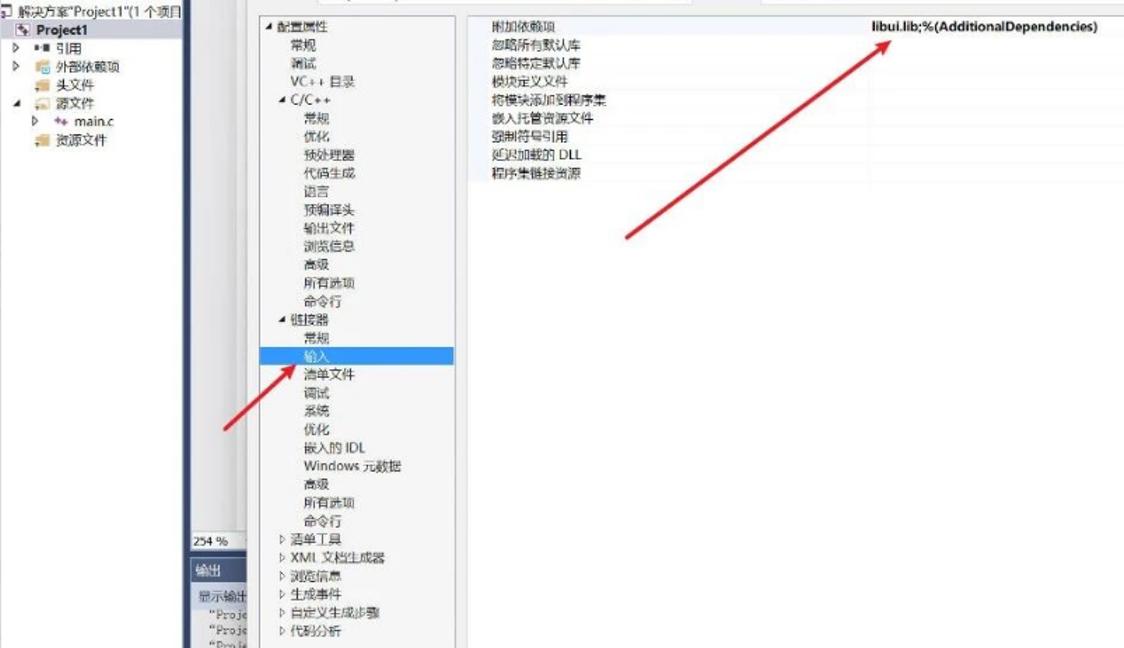
4.libui.dll与生成的GUI程序放在同一目录即可
5.程序运行结果
最新版本:4
Alpha 4.1于2018年9月上旬发布。
项目主页:https://github.com/andlabs/libui