
Win32记事本-Retropad
 2026-06-09 21:08:00
  阿炯
阿炯
 在现代 IDE 和语法高亮编辑器的时代,一个名为 Retropad 的项目选择了相反的方向:完全用纯 C 语言重写一个 Windows 记事本。该项目由 “Windows 任务管理器之父” Dave W. Plummer 于2026年6月所创造,目标非常明确 —— 在不使用任何现代框架的情况下,完整复现经典 Windows 记事本的每一个功能。该软件体积仅为 2749 字节,约合 2.7KB,运行高效且资源占用极低。采用了三类的BSD协议授权使用。
A Petzold-style Win32 Notepad clone written in mostly plain C. It keeps the classic menus, accelerators, word wrap toggle, status bar, find/replace, font picker, time/date insertion, and BOM-aware load/save. Printing is intentionally omitted.
Retropad 的技术实现严格遵循了 Charles Petzold 在《Programming Windows》中开创的 Win32 API 编程范式。项目完全采用纯 C 编写,不依赖任何外部库,只使用 Windows 原生 API。这种做法在今天看起来近乎复古,但恰恰是这种约束让它成为学习 Win32 编程的绝佳实例。
在功能上Retropad几乎做到了对经典记事本的像素级复刻:完整的菜单系统和快捷键绑定(Ctrl+N/O/S 打开新建保存、Ctrl+F 搜索、Ctrl+H 替换、Ctrl+G 跳转、F5 时间戳),自动隐藏的状态栏,查找替换对话框,字体选择器,拖拽文件打开,以及 BOM 感知的文件 I/O—— 系统会自动检测 UTF-8 和 UTF-16 编码,保存时默认使用 UTF-8 BOM 格式。唯一被刻意省略的功能是打印支持,项目作者认为在现代浏览器和 PDF 阅读器普及的背景下,打印功能已经不再是编辑器的基础需求。原文特性列表如下:
1. Menus/accelerators: File, Edit, Format, View, Help; classic Notepad key bindings (Ctrl+N/O/S, Ctrl+F, F3, Ctrl+H, Ctrl+G, F5, etc.).
2. Word Wrap toggles horizontal scrolling; status bar auto-hides while wrapped, restored when unwrapped.
3. Find/Replace dialogs (standard FINDMSGSTRING), Go To (disabled when word wrap is on).
4. Font picker (ChooseFont), time/date insertion, drag-and-drop to open files.
5. File I/O: detects UTF-8/UTF-16 BOMs, falls back to UTF-8/ANSI heuristic; saves with UTF-8 BOM by default.
6. Printing/page setup menu items show a “not implemented” notice by design.
7. Icon: linked as the main app icon from res/retropad.ico via retropad.rc.
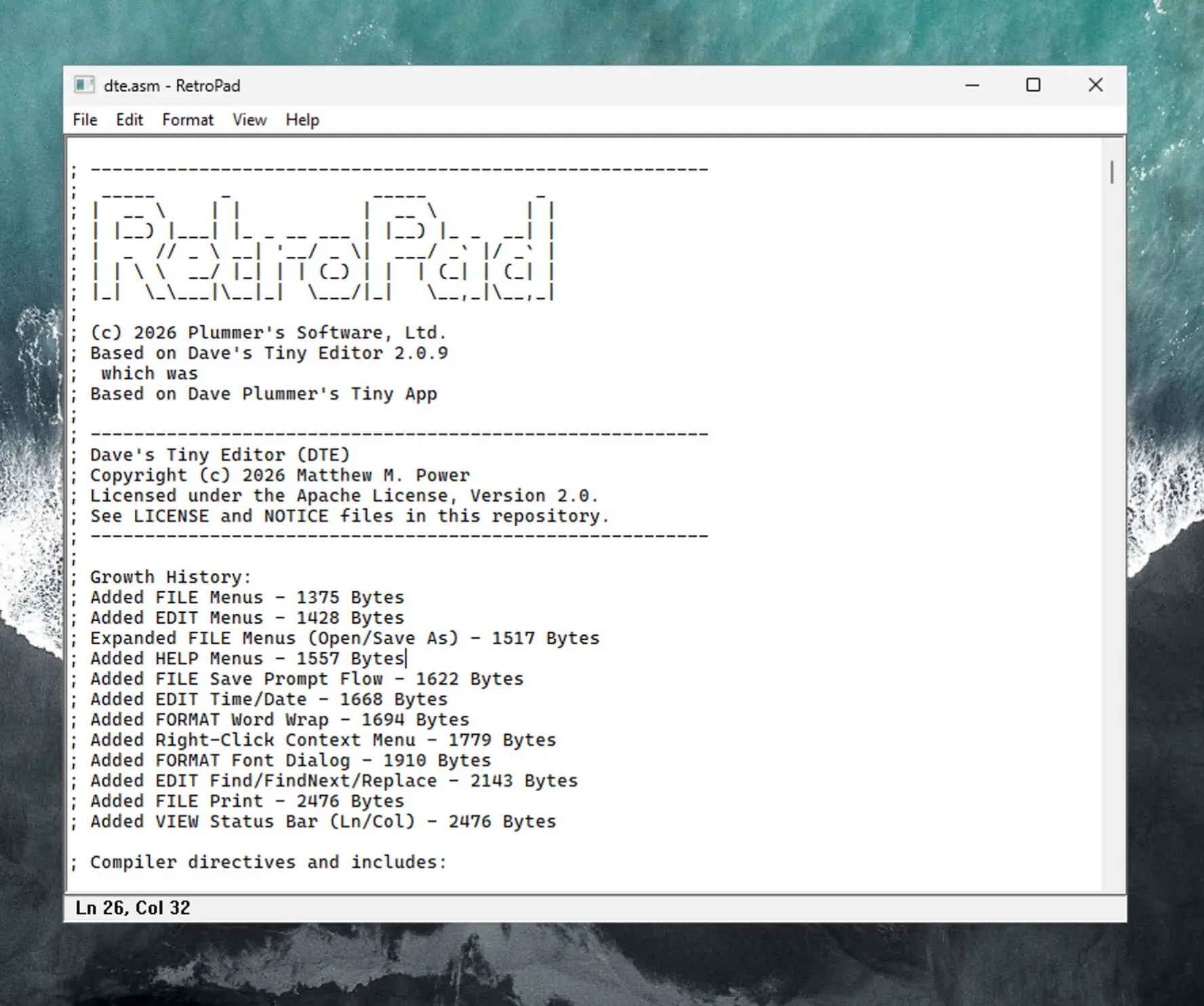
从构建系统看,Retropad 同时支持 Visual Studio 2022(MSVC+nmake)和 MinGW-w64(gcc+make)两套工具链。项目结构简洁:retropad.c 处理主窗口和 UI 逻辑,file_io.c/.h 处理编码相关的文件操作,retropad.rc 定义菜单、快捷键、对话框和图标资源。这种模块化设计让代码结构清晰易懂。代码布局如下:
retropad.c — WinMain, window proc, UI logic, find/replace, menus, layout.
file_io.c/.h — file open/save dialogs and encoding-aware load/save helpers.
resource.h — resource IDs.
retropad.rc — menus, accelerators, dialogs, version info, icon.
res/retropad.ico — application icon.
makefile — MSVC nmake build script.
Makefile — MinGW/GNU make build script.
Retropad 的意义不在于替代 Windows 自带的记事本 —— 微软早已在其基础上增加了现代化的标签页和 Copilot 辅助功能。这个项目的价值在于它提供了一种可能性:在 AI 代码生成工具盛行的现今,人类仍然可以完整理解一个编辑器从窗口创建、菜单系统、文件 I/O 到 Unicode 处理的全部细节。每一行代码都是可读的,每一个系统调用都是可追溯的。这种透明性正是现代框架所缺乏的。
对于想学习 Windows 桌面开发的程序员来说,Retropad 提供了一个极好的起点。它不需要配置复杂的现代开发环境,不需要理解异步编程或虚拟 DOM,只需要一个文本编辑器、一份 Windows SDK 文档,和 Charles Petzold 的那本书。
最新版本:
项目主页:https://github.com/PlummersSoftwareLLC/retropad