
进程网络带宽使用监控-NetHogs
 2014-03-17 14:38:11
  阿炯
阿炯
 NetHogs是一个开放源码的小工具,它密切监视着系统上每个进程的网络活动。它可与iftop指令配合使用,还可追踪着每个程序或者应用所使用的实时网络带宽。nethogs 是一个小型的 net top 工具,不和大多数工具那样按照每个协议或者子网的速度,而是按照进程进行带宽分组。 nethogs 不需要依赖某个特殊的内核模块,如果发生了网络阻塞,你可以启动 nethogs 立即看到哪个 PID 造成的,这样就可以轻松的找到占用带宽的程序,然后进行相应的内容控制。
NetHogs is an open source command line program (similar to Linux top command) that is used for monitor real time network traffic bandwidth used by each process or application.
NetHogs is a small ‘net top’ tool. Instead of breaking the traffic down per protocol or per subnet, like most tools do, it groups bandwidth by process. NetHogs does not rely on a special kernel module to be loaded. If there’s suddenly a lot of network traffic, you can fire up NetHogs and immediately see which PID is causing this. This makes it easy to identify programs that have gone wild and are suddenly taking up your bandwidth.
在两大主流操作系统中都可以通过指令来安装:'apt-get install nethogs'、'yum -y install nethogs'。
它需要在特权用户下开启,在终端中输入:'nethogs'即可开启监控。
从'send'与'received'这两行可以看出每进程所使用的流量值,在底部有其计算总和。
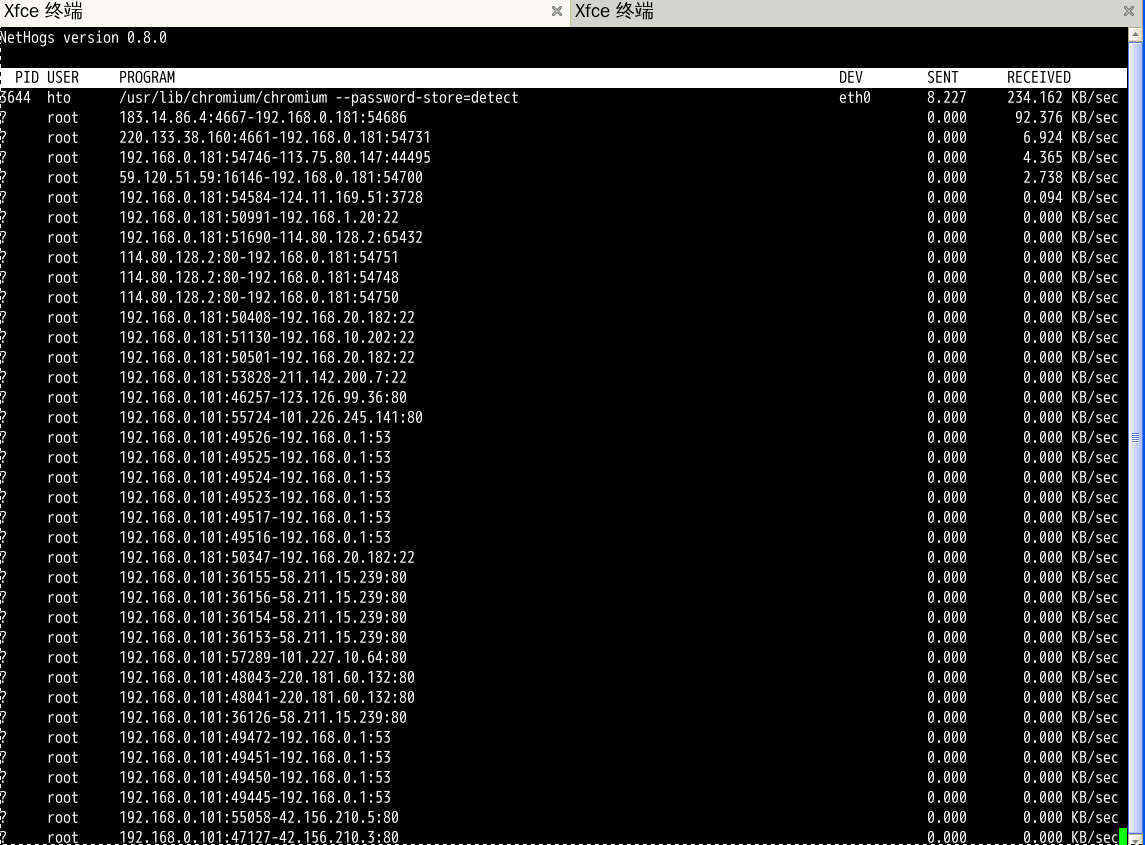
使用'-d'参数来设定屏幕的刷新时间
# nethogs -d 5
To monitor specific device (eth0) network bandwidth only, use the command as.
监控具体的网口可以直接写在其后面
# nethogs eth0
# nethogs eth0 eth1
其它选项
-d : 刷新间隔
-h : 使用方法
-p : 开启网卡的混杂模式 (不推荐).
-t : 允许跟踪
-V : 版本信息
交互式控制(键盘操作)
-m : 使用不同的流量单位 KB/sec -> KB -> B-> MB.
-r : 按收到的流量大小分别排序
-s : 按发送的流量大小分别排序
-q : 退出该界面程序
最新版本:0.8
项目主页:http://nethogs.sourceforge.net/